
How to Plan a Bridal Shower: Timeline, Themes, and Tips
I have been to bridal showers that made me cry happy tears. I have also been to bridal showers that made me stare at the clock for two hours while someone opened 40 identical gift bags of hand cream.
The difference was never the budget. It was the planning.
A great bridal shower feels intentional. The theme fits the bride. The guest list is tight. The logistics are invisible. Nobody is confused about where to park or what to bring. It just flows.
A bad one feels like a group project where nobody took the lead.
If you are the one taking the lead, this guide is for you. I am going to walk you through the full timeline and help you land on a theme that actually means something, then share the tools I use to keep the whole thing from unraveling.
Who Plans the Bridal Shower?
Traditionally, the maid of honor or bridesmaids handle it. But "tradition" is a loose word. I have seen mothers, aunts, best friends, and even the bride's college roommate step up.
There is only one real rule: someone has to own it. Not "we should all chip in," and not a group chat that dies after three messages. One person needs to be the point of contact and the decision-maker, the one who books the venue and sends the invitations.
That does not mean you do everything alone. It means you are the quarterback. You delegate, you set deadlines, and you keep the ball moving.
If you have a crew helping, tools like Lemonvite's co-hosting feature let you invite up to 10 co-hosts to manage the event together. Everyone can see RSVPs, send updates, and pitch in without stepping on each other's toes.
The Bridal Shower Timeline
Here is my recommended timeline. Adjust based on the complexity of your event, but do not skip the milestones. (If you want the day-of version, my perfect party timeline breaks down the hours before guests arrive.)
8-10 weeks before:
- Confirm date with the bride (yes, she should know about this one)
- Set the budget and figure out who is splitting costs
- Choose a venue or host location
- Nail down the guest list with the bride or her family
6-8 weeks before:
- Pick your theme
- Send invitations (more on this below)
- Book any vendors: catering, bakery, florist, rentals
4-6 weeks before:
- Plan the activities and flow of the event
- Order decorations
- Start tracking RSVPs and follow up with non-responders
2 weeks before:
- Confirm final headcount with vendors
- Send a broadcast update to guests with parking details, dress code, or a "what to bring" reminder
- Assign day-of tasks to your co-hosts
Day of:
- Set up early
- Breathe
- Let the bride enjoy it
The most common mistake I see is sending invitations too late. People need time to plan, especially for events that require travel. Six weeks is the sweet spot. Any less and you are competing with calendars that are already full.
Choosing a Theme That Feels Right
Forget Pinterest boards with 200 pins and no coherent direction. A strong theme starts with one question: What does the bride actually like?
Not "what looks good on Instagram." Not "what is trending this season." What does she genuinely enjoy?
A wine person gets a vineyard afternoon. The bookworm gets a literary garden party. And if she hates fuss, keep it to brunch with her closest people.
Here are a few themes I have seen land really well:
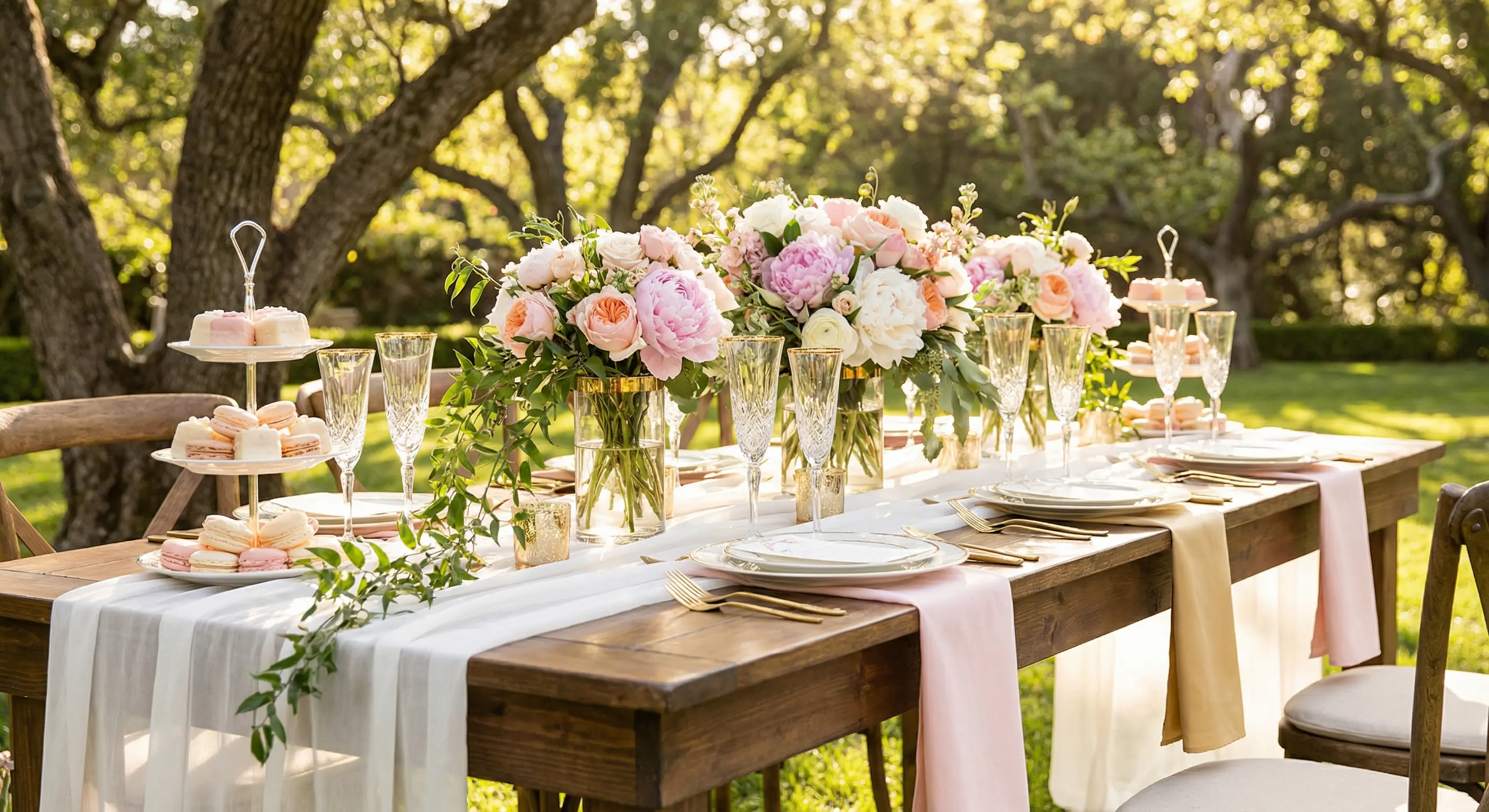
Garden Party. Floral tablescapes, linen napkins, outdoor seating. Works beautifully in a backyard with the right weather.
Parisian Cafe. Croissants, lavender, a curated cheese board. Play Edith Piaf. Wear berets ironically.
Spa Day. Robes, face masks, cucumber water. You can rent a space or DIY it at home with a little effort.
Brunch & Bubbly. Mimosa bar, waffles, a late-morning start. This is the crowd-pleaser that never fails.
Travel-Themed. If the couple loves to travel, decorate with maps, passport-style invitations, and dishes from their favorite destinations.
Want more than five options? I put together a longer list of bridal shower themes that go beyond the usual brunch.
Once you pick the vibe, the invitation should set the tone immediately. This is where I get opinionated: generic templates ruin the mood before the party even starts. If you are throwing a Parisian brunch and your invitation looks like a stock photo from 2014, there is a disconnect.
With Lemonvite's design engine, you describe your vision in words and it creates a custom invitation from scratch. No templates. No browsing through 500 options that are almost-but-not-quite right. You type something like "a soft watercolor Parisian cafe scene with lavender and croissants, elegant and feminine" and you get something that actually matches your event.
You can even upload a reference image, like a photo of the venue or a color swatch from the decorations, and it will incorporate that into the design.

Sending Invitations That People Actually Open
Paper invitations are lovely. They are also slow, expensive, and easy to lose under a pile of mail.
Email invitations are free. They also have a 20% open rate on a good day and end up in promotions tabs or spam folders.
I send bridal shower invitations by SMS. Not a bare link in a text message, but a proper, designed invitation delivered via text. Lemonvite sends invitations through SMS, and the open rate is around 98%. That is not a typo, and there is a real reason SMS invitations work the way they do. And if the bride has friends or family abroad, that same invitation reaches guests outside the US and Canada over WhatsApp, so nobody gets left off the list.
And if the actual wording is what has you stuck, I keep a whole set of bridal shower invitation wording examples sorted by vibe, from classic to funny to the tricky registry line.
The guest taps the link, sees the custom design, and RSVPs right there. No app to download and no account to create. They just tap Attending, Maybe, or Declined and they are done.
This matters because the last thing you want is to be chasing RSVPs two weeks out. When the invitation actually reaches people and is easy to respond to, you get answers faster.
Managing the Guest List Without Spreadsheets
Once invitations go out, the real work begins: tracking who is coming.
I used to keep a Google Sheet with a column for each guest's RSVP status and another for their dietary restrictions. It worked, but it was tedious and I was the only one who could update it.
Now I rely on the RSVP dashboard. Every response lands in one place. Guests can add plus-ones, leave notes (like "I am bringing the cake stand" or "allergic to shellfish"), and update their RSVP if plans change.
The plus-one tracking is especially useful for bridal showers where you might invite someone's mother or sister-in-law. (Much of this carries over to other intimate events too, like my baby shower planning guide.) You need an accurate headcount for the caterer and the seating.
If you have guests who haven't responded, you can see who has viewed the invitation but not replied. That tells you who needs a gentle nudge versus who might not have seen it at all.
Broadcast Updates Are Your Secret Weapon
Targeted broadcast messages save me every single time.
Two weeks before the shower, I send an update to everyone who RSVP'd "Attending" with the final details: the address and parking instructions, plus the dress code and what to bring.
I send a separate, gentler message to the "Maybe" crowd: "Hey, we would love to have you! Here are the details in case you can make it."
And I do not bother the people who declined. Nobody wants to get updates about an event they already said no to.
Lemonvite lets you filter broadcast messages by RSVP status. You can send via SMS, email, or both. It takes about 30 seconds and replaces what used to be a painful round of individual texts.
The "What to Bring" Section
For potluck-style showers or events where guests are contributing, the "What to Bring" feature is a lifesaver. You list what you need, guests claim items, and everyone can see what is already taken.
No more showing up to a bridal shower with four identical fruit platters and zero napkins.
Activities That Are Not Painful
I will be blunt: most bridal shower games are awkward. "Guess the spice" and "how well do you know the groom" quizzes have their place, but they should not be the entire event.
Build in time for actual conversation. A two-hour shower might look like this:
- 0:00 - 0:30 Guests arrive, mingle, drinks flow
- 0:30 - 1:00 One activity or game (keep it short)
- 1:00 - 1:30 Food and toasts
- 1:30 - 2:00 Gift opening or a group activity
The best bridal showers I have attended had one thoughtful activity. My favorite: each guest writes a piece of marriage advice on a card, and you compile them into a little book for the bride. It is simple and meaningful, and it does not make anyone sweat. If you want the full menu of options beyond guess-the-spice, I rounded up bridal shower games guests will actually want to play.
Keep It Private
Bridal showers are intimate events. The guest list is curated for a reason.
Make sure your event page is not floating around publicly. Lemonvite events are private by default. Search engines do not index them and there is no public feed, so guests can only reach the page through the invitation link. You can also toggle whether guests see each other's names on the guest list or keep it completely hidden.
This matters when the bride's social circles do not overlap. Work friends and college friends sharing a room with family can be wonderful, but not everyone needs to see who else was invited.
The Budget Reality Check
Bridal showers can cost anywhere from $200 for a backyard brunch to $2,000+ for a catered affair. The host (or hosting group) typically covers:
- Venue or space
- Food and drinks
- Decorations
- Invitations
- Favors (optional)
Guests cover their own gifts for the bride.
For the invitation itself, Lemonvite charges $5 per event. That is one custom-designed, SMS-delivered invitation with built-in RSVP tracking, guest management, broadcast updates, and co-hosting. Compare that to $3-8 per card for paper invitations (plus postage), and the math speaks for itself.
Start Planning
The best bridal showers feel effortless to attend. That effortlessness comes from someone behind the scenes who planned the details early and communicated clearly using the right tools.
If you are that person, you have got this.
When you are ready, design the invitation on Lemonvite, describe the vibe you are going for, and send it by text so the RSVPs start landing the same afternoon. Set the tone before a single guest walks through the door.