
How to Follow Up With Guests Who Haven't RSVPed

You sent the invitations. You picked the date, the venue, the menu. Everything is set. Except for one thing: half your guest list hasn't bothered to respond.
Sound familiar? You're not alone. Getting people to RSVP is one of the most frustrating parts of planning any event. And the silence isn't personal. People are busy, distracted, and genuinely bad at replying to things. But you still need a headcount. You still need to know how much food to order, how many chairs to set up, and whether your cousin is actually coming or just "liked" the message and moved on with her life.
So let's talk about how to follow up without being annoying or firing off a dozen increasingly desperate texts.
Why People Don't RSVP
Before you start drafting that passive-aggressive follow-up text, it helps to understand why people ghost your invitation in the first place.
They saw it but forgot. This is the most common one. They opened your invite, thought "I'll respond later," and then never did. Life happened. It wasn't malicious. Their brain just filed it under "done" even though they never actually replied.
They're unsure. Maybe they need to check with a partner, figure out childcare, or see if they can get time off work. Instead of replying "Maybe," they just... don't reply at all.
They missed it entirely. If you sent a paper invitation, it might be buried under a stack of mail. If you used a social media event page, it probably got lost in an ocean of notifications. The invitation itself never actually reached their attention.
The process felt like too much work. If your RSVP requires creating an account, logging in, or filling out a long form, some people will bail before they finish. Every extra step is another reason to put it off.
Understanding the why changes how you follow up. Most of these people aren't rude. They're just human, and human brains drop the ball on small obligations constantly.
Timing Your Follow-Up Right
Don't wait until two days before the event to chase responses. And don't send a follow-up 24 hours after the invitation went out. There's a sweet spot.
First follow-up: 7 to 10 days after the invitation. This gives people enough time to see it, think about it, and (ideally) respond on their own. If they haven't replied by now, a gentle nudge is perfectly reasonable.
Second follow-up: 3 to 5 days before your RSVP deadline. This is your "last call." Make it clear that you need a response by a specific date because you're finalizing details. Most people respond to deadlines, especially tight ones.
Final follow-up: 1 to 2 days after the deadline. For the stragglers who still haven't replied, a short direct message works best. "Hey, I need to finalize the headcount tomorrow. Are you in or out?" Simple. No guilt trip. Just clarity.
Know Who to Follow Up With
Here's where most people waste time. They send a blanket follow-up to everyone on the guest list, including the people who already responded. That's annoying for the guests who took the time to reply, and it makes you look disorganized.
You need to know exactly who hasn't responded. Not a rough idea. Exact names.
Even better, you want to know who saw the invitation but didn't respond. There's a big difference between someone who never received your invite and someone who opened it and then quietly never got around to replying. The first person needs a resend. The second person needs a nudge.
This is one of the things I built Lemonvite to solve. When you send invitations through Lemonvite, you get view tracking on every single invite. You can see exactly who opened it and who hasn't even looked at it yet. That distinction matters because it completely changes your follow-up approach.
Send Targeted Follow-Ups, Not Mass Blasts
The worst thing you can do is send the same generic reminder to your entire guest list. People who already said "Attending" don't want to get a "Please RSVP!" message. And people who declined don't need a reminder either.
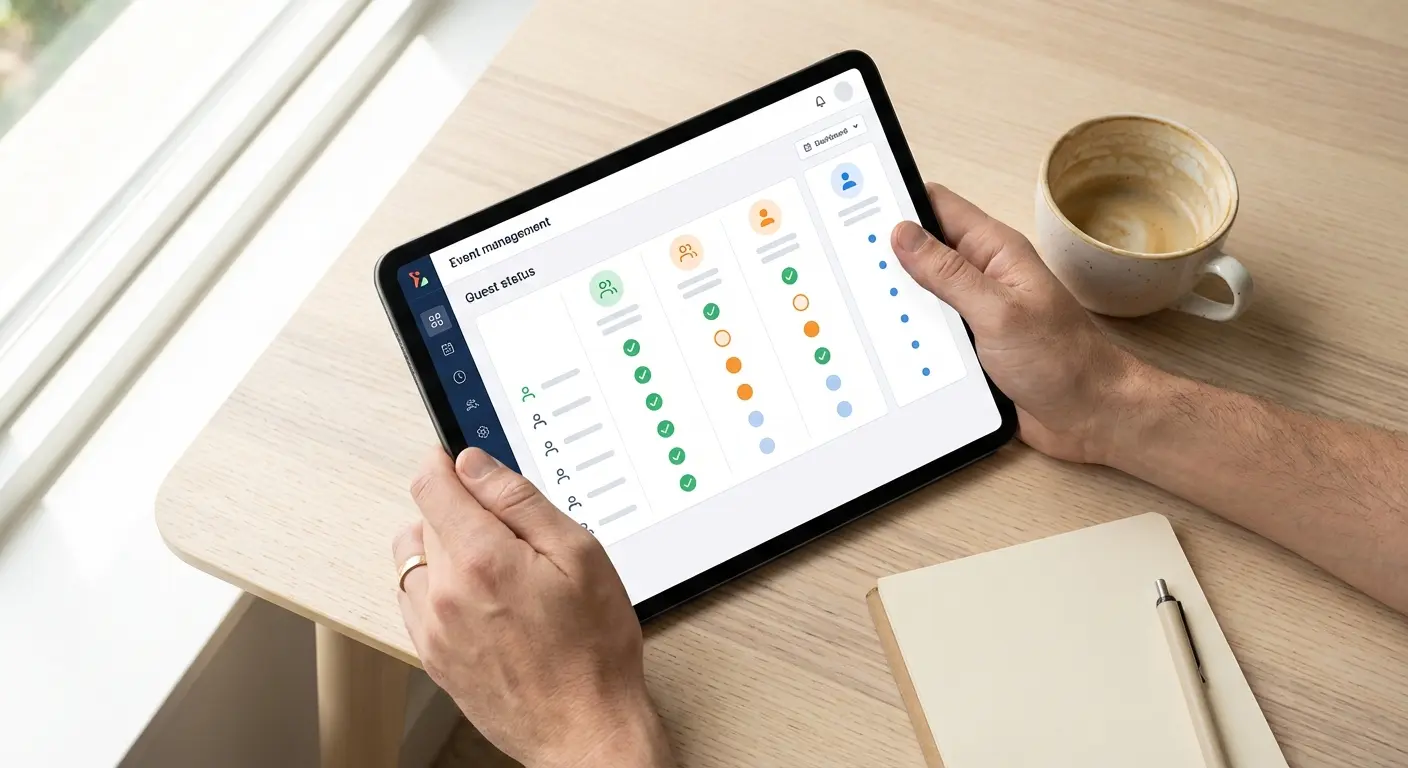
This is exactly why we built the broadcast feature in Lemonvite. You can filter your guest list by RSVP status (Attending, Maybe, Declined, or Pending) and by view status (Viewed or Not Viewed). Then you send a targeted message to just that group.
Want to nudge only the people who opened the invite but never responded? Filter by "Viewed" and "Pending," then send them a quick text. Want to resend the invitation to people who never even saw it? Filter by "Not Viewed" and hit send.
The messages go out as SMS, which means they actually get read. We're talking a 98% open rate on text messages. Compare that to email, where your follow-up might sit unread for days, or a social media post that gets buried in someone's feed. And if you're chasing guests overseas, the same nudge reaches them over WhatsApp for anyone outside the US and Canada, so distance is no longer an excuse for silence.
And your guests don't need to download an app or create an account to respond. They tap the link, see the invitation, and hit Attending, Maybe, or Declined. That's it. No friction. No excuses.
What to Say in Your Follow-Up
Keep it short. Keep it warm. And always make it easy to respond.
For people who saw the invite but haven't replied:
"Hey! Just checking in. I saw you got the invite for [event]. Would love to know if you can make it so I can finalize the details. No pressure either way!"
For people who haven't seen the invite at all:
"Hey [name]! I sent you an invite to [event] on [date] but I'm not sure it went through. Here's the link again: [link]. Let me know if you can make it!"
For the final deadline push:
"Hi! I'm locking in the headcount for [event] by tomorrow. If I don't hear from you, I'll assume you can't make it. Hope to see you there!"
That last one is important. Giving people an "out" by saying you'll assume they can't come actually works in your favor. It removes the guilt of not responding and often prompts people to reply quickly if they do want to attend.
Stop Making RSVPs Hard
If you're still struggling with low response rates, the problem might not be your follow-up. It might be your invitation process.
Think about it from your guest's perspective. If they have to:
- Open an email
- Click a link
- Create an account
- Log in
- Find the RSVP button
- Fill out a form
...they're probably not going to do it. Every step you add is another point where people drop off.
With Lemonvite, the entire RSVP process is one tap. Your guest gets a text with a link. They open it, see your beautifully designed invitation, and respond right there. No account needed. No app to download. Done in under 30 seconds.
That simplicity is the reason Lemonvite events consistently get faster and higher RSVP rates. When responding is easy, people actually do it.
A System That Does the Tracking For You
Look, I get it. You're planning an event. You have a hundred other things to worry about. Manually tracking who responded, who didn't, and who needs a reminder is tedious work that takes time away from the things that actually matter.
That's the whole point of building Lemonvite the way we did. Your invitations go out via SMS. You see exactly who viewed them. You know who responded and who didn't. And when it's time to follow up, you send a targeted broadcast to just the right people with one click.
No spreadsheets, no guesswork, and no awkward group texts where everyone can see everyone else's number.
Private by default. Ad-free. $5 per event.
Stop Chasing. Start Planning.
If you're tired of the RSVP runaround, try sending your next invitation through Lemonvite. You'll know exactly who saw it and who's still gone quiet. And when it's time to follow up, you'll reach the right people with the right message.
Create your event today and get back to the fun part of planning.
Keep Reading
More RSVP strategy from the blog:
- Understand the silence first: why no one is RSVPing and the psychology of RSVPs.
- Build your event around the perfect party timeline.
- When responses go sideways: how to handle last-minute cancellations, what to do if you've invited too many people, and how to gracefully uninvite someone.